
Fulfillment by Amazon (FBA) is one of the simplest ways to start an online business. You find products, send them to Amazon’s warehouses, and Amazon handles the storage, shipping, returns, and customer service. It’s the reason millions of sellers choose Amazon over running their own fulfillment.
But here’s what most beginner guides don’t tell you: the hardest part of selling on Amazon FBA isn’t setting up your account or shipping inventory. It’s picking the right product in the right category. Get that wrong, and everything else becomes an uphill battle.
That’s why before you go through the steps below, we recommend spending time on product and market research. A tool like SmartScout makes this easier. It gives you a top-down view of the entire Amazon marketplace, covering 43,000+ subcategories and 1.5 million brands, so you can see where the opportunities are before you invest. Its free Chrome Extension gives you 1,000 lookups per month with no credit card required, which is a great starting point.

With our exclusive coupon, you can claim 25% discount for 3 month on SmartScout.

In this guide, we’ll cover everything you need to know about selling on Amazon FBA: what it is, how it works, the benefits, and a step-by-step process to get started. Let’s get into it.
What is Amazon FBA?
Amazon FBA or Fulfilment by Amazon is an e-commerce service provided by the online retail giant Amazon. It allows sellers to store their products in Amazon’s warehouses and has them fulfilled and shipped directly to customers.
This eliminates the need for the seller to manage their shipping and inventory, as it is all taken care of by Amazon FBA. You need to create an account and agree to the terms and conditions of the website.
With FBA, sellers can take advantage of Amazon’s efficient fulfillment network, customer service, and reliable delivery options. Additionally, they benefit from having their products placed in front of millions of potential customers who shop daily on Amazon.
FBA also helps sellers increase their visibility with customers through Prime shipping options, product reviews, and other promotional services Amazon offers.
Overall, it is an excellent program for those looking to expand their business and gain additional exposure on one of the largest e-commerce platforms in the world.
Is Amazon FBA Still Worth Using In 2026 To Grow Your Business?
Yes, Amazon FBA is still worth using in 2026. It’s a top-rated platform for businesses of all types and sizes. Its powerful tools and features allow users to list their products on the world’s largest marketplace.
This makes it easier for customers to find these products and provides an opportunity to increase sales.
Additionally, Amazon FBA simplifies the inventory management process by providing storage solutions, fulfillment services, and more. This helps businesses save time and money while reducing the manual work involved in running an online business.
As technology evolves over the next few years, Amazon FBA will remain a valuable tool for businesses looking to maximize their reach and profits in 2026 and beyond.
How Does Amazon FBA Work?
The way Amazon FBA works is effortless, and there is no fuss involved in the process.
1. Send Your Products to the Amazon Facility
Amazon has more than 100 warehouses spread across the United States. When you join Amazon FBA, the team explains the process of shipping products to their facility.
2. Amazon Manages and stores the Products
When you send your products to Amazon, they manage them. After they receive the products, they will manage and store them to fulfill the customer’s requirements.
3. Amazon Ships The Products When Someone Buys them
Whenever someone buys any of the products you sell from Amazon, they dispatch them from the facility. You don’t have to worry about packing and shipping the products, as Amazon will take care of them.
Furthermore, customer care service is also offered by Amazon, and they handle returns and refunds as well.
4. You Receive The Payment
You receive the payments every two weeks, depending on the value of the products you have sold. You can always track the sales by logging in to your Amazon FBA account.
In a nutshell, you don’t have to worry about anything other than just improving the quality of your products or devising a strategy to get better sales.
When you join Amazon FBA as a seller, you need to pay a fixed monthly charge as the storage and handling charge. Furthermore, Amazon also offers 24/7 customer service. You can get in touch with their service reps to track down the orders and have better clarity related to your account.
Benefits Of Amazon FBA? Is It Really Worth It?
There are multiple benefits to getting started with Amazon FBA. Also, you can enjoy earning by sitting at home, as the products are stored and shipped by Amazon. Here are a few benefits you will experience with Amazon FBA:
1. No Hassles Of Shipping And Logistics
Are you managing your fulfillment center? If yes, you’ll agree that it’s a daunting task requiring much effort. But with Amazon FBA, you can manage your fulfillment center. Amazon will take care of storing and shipping the products, so you must keep working on improving your products.
2. Easy Management Of Returns
Selling hundreds of products every month means receiving many returns as well. With Amazon FBA, you don’t have to worry about managing returns and refunds.
Everything will be taken care of by Amazon, and the customers will contact Amazon customer care to get their issues resolved.
3. No Challenges In Storing The Products
There are no challenges in storing the products, and you don’t have to rent a facility to save thousands of bucks every month.
Amazon will store and manage the products at their end. All you need to do is continue with Amazon FBA and ship the products to their facility.
4. Quicker Deliveries
You might have ordered something from Amazon, and their lightning-fast deliveries need appreciation. Also, Amazon offers Prime Delivery, allowing users to receive their packages more quickly.
The customers ordering your products will receive them quickly, and there’s nothing better than that!
5. Exposure To Multiple Other Channels For Better Selling
With Amazon FBA, you get exposure to numerous other channels where you can sell your products. Again, the products will be stored and managed by Amazon, so there is no need to worry about handling and shipping the products.
6. Downsides To Using Amazon FBA
Before I explain the signing-up process or how to get started with Amazon FBA, it is essential to know its downsides.
7. The Fulfilment Fee
Amazon manages your products, stores, and ships them. But does Amazon do it for free? No! You must pay an Amazon fulfillment fee for every product you send to their warehouse.
8. Tracking Inventory Can Be Hard
Tracking the inventory can be challenging. It takes effort and time to understand the products available in the warehouse. Also, tracking the returns is a bit daunting, and you can expect to see more returns when working with Amazon FBA.
9. Storing Fee Can Empty Your Pocket
A long-term storage fee can empty your pocket! If some of your products sit too long in the warehouse, get ready to pay a bigger fee.
Managing the inventory is challenging, so tracking which products are still in Amazon’s warehouse may be challenging.
How To Get Started With Amazon FBA?
Getting started with Amazon FBA is easy. Follow the steps below, and you can quickly set up your account.
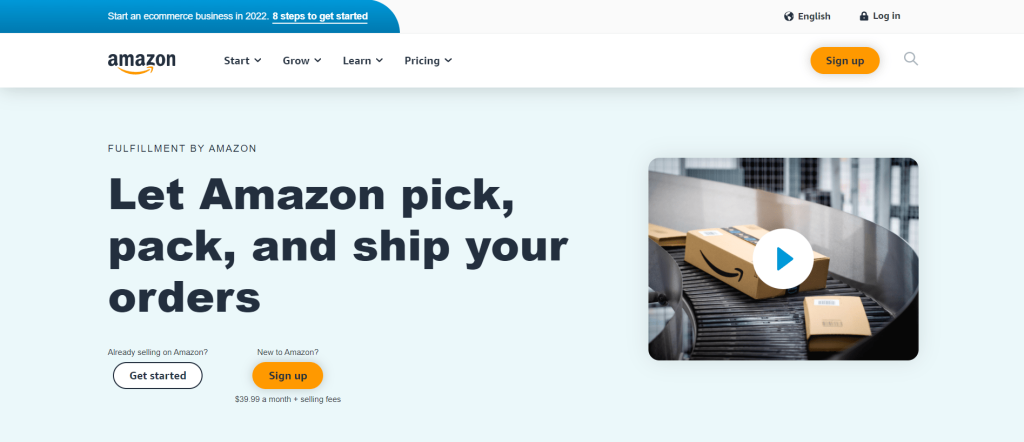
Step 1: Set Up an FBA Account
Click here to create an Amazon Selling Account. After creating an account, log in to Seller Central to complete the setup process.
Step 2: Create a List of Products You Want to Sell on Amazon
After logging in to your Amazon Selling Account, start creating a list of products you want to sell. Specifying Amazon Inventory is essential as Amazon will be the seller of your products now.
Step 3: Prepare And Ship Your Products
Now prepare the products you want to sell through Amazon FBA, and ship them to their facility. Make sure to meet the Amazon packing guidelines to ensure that your products get accepted at the facility.
Also, it is essential to know about Amazon’s shipping and routing requirements before you ship your products to their specified facility.
Step 4: Ship The Products
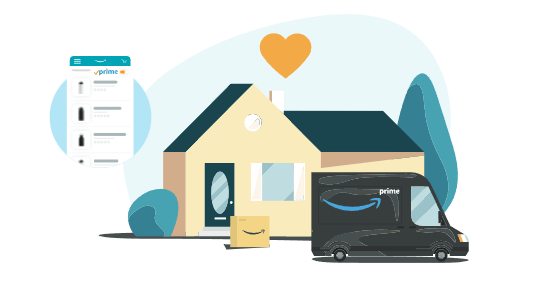
You will receive shipping ID labels from Amazon. Print them, and paste them on the packed boxes. Ship the products to Amazon, and you will see them available within a few days.
How SmartScout Can Help You Succeed with Amazon FBA
Starting an Amazon FBA business involves many steps, but the most important decision you’ll make is choosing what to sell. The sellers who succeed don’t pick products based on gut feelings or trending TikTok videos. They use data.
SmartScout is built for exactly this kind of research. Here’s how it helps at each stage of your FBA journey:

1. Find the Right Category Before You Pick a Product
Most sellers start by searching for individual products. SmartScout flips that approach. Its Subcategory Tool lets you browse 43,000+ Amazon subcategories and see the total revenue, brand count, competition level, Amazon’s own market share, and growth trends for each one. So instead of guessing which niche to enter, you can see the data and pick a category that’s growing with room for new sellers.
2. Analyze Brands and Competition
The Brand Database tracks 1.5 million+ brands on Amazon. You can filter by category and see estimated revenue, FBA seller count, Buy Box pricing, and a proprietary Brand Score for each brand. This is useful for wholesale sellers looking for underserved brands, and for private label sellers trying to understand how strong the competition is before entering a niche.
3. Understand How Shoppers Find Products
SmartScout’s Keyword Detective shows you the shared keywords between competing products, so you can build a listing that targets the right search terms from day one. The Traffic Graph goes even further by mapping how real shoppers navigate between products on Amazon, revealing customer behavior patterns that other tools can’t show you.
4. Check Your Margins Before Committing
Amazon FBA fees vary by product size, weight, and category. SmartScout’s FBA Calculator breaks down all fees (referral, fulfillment, storage) so you can see your actual profit per unit before ordering inventory. The Size Tier Calculator also helps you optimize packaging to fit the lowest fee tier.
5. Start Free with the Chrome Extension
If you’re not ready to commit to a paid plan, SmartScout’s free Chrome Extension gives you 1,000 lookups per month with product opportunity scores, FBA calculations, and historical data. No credit card required. Paid plans start at $29/month if you want access to the full dashboard.
Things You Are Responsible For When Working With Amazon FBA
Most folks think that Amazon is responsible for everything after joining FBA, leading to fewer sales because they need to pay more attention to the business.

Here are the following things you are responsible for when working with Amazon FBA.
1. Creating a Product Listing

You have the freedom to sell almost anything that meets Amazon’s guidelines. Furthermore, choose only the products that sell, like hotcakes, so you don’t have to pay any storage fees.
2. Marketing And Advertisements
Amazon only charges you for storing, shipping, and managing the customers, so the marketing and advertising are on you completely.
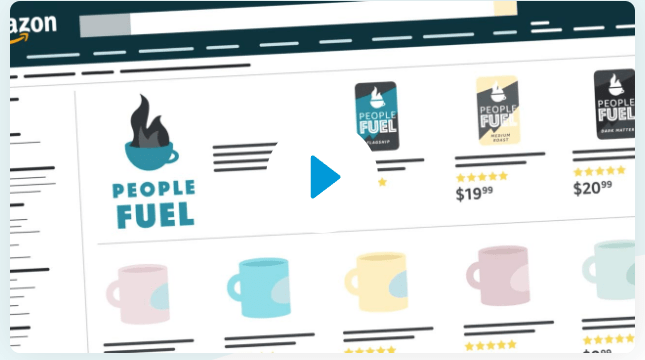
Also, selling branded products such as Nike shoes doesn’t require much marketing. However, if you are selling customized products, then it is essential to market and advertises the products.
3. Keeping Track Of The Inventory
Keeping track of inventory is also a task you must take care of. Maintain a Google Spreadsheet that you can use to track what products you have shipped to the amazon fulfillment center.
Are You Ready To Start Selling With Amazon FBA?
Selling your products on Amazon FBA isn’t as easy as you think. There are thousands of products on Amazon, so it is important to have a strategy at hand. Here are some helpful tips that will help you sell better:
1. Research Your Competitors
Research your competitors and look for their strategies to sell their products. These strategies will help you undermine their plans and showcase your products as a better option to the audience.
2. Make Product Bundles
Making product bundles helps you sell more items in one go. Moreover, buyers find bundle deals more attractive since they get multiple things in a single package. Make sure to bundle the low-selling items with high-selling products to ensure that nothing sits in the Amazon warehouse.
3. Use SEO Practices
Amazon has umpteen products available on its marketplace, so outranking the competitors need you to use SEO practices. Use tools like Jungle Scout or Helium 10 to help you understand Amazon better.
4. Hire a Product Photographer
Products that look good sell better. Hire a product photographer, and upload some fantastic shots of your selling products.
5. Always Answer Questions
Try to address customer queries, so potential customers get better product insights. If you don’t have enough time to answer every question, hire someone to do it on your behalf.
Advantages & Disadvantages Of Selling On Amazon:
Here we have listed the advantages and disadvantages of selling on Amazon. Let’s have a look.
Advantages:
- Offers low marketing cost
- You don’t need to carry a stock
- It is very easy to start as an Amazon seller for beginners
- Probably for more sales because it has a lot of traffic
- You would benefit from the Amazon partnership if you got an exclusive product and a profit margin.
Disadvantages:
- It is not very easy to foster loyalty
- They will spy on you
- They will pay after the 90 days
Conclusion: Learn How to Sell on Amazon FBA
Selling on Amazon FBA is still one of the best ways to build an online business in 2026. Amazon handles the hard parts (storage, shipping, returns, customer service), and you focus on finding the right products and growing your brand.
The biggest mistake new sellers make is skipping the research phase. They pick a product based on intuition, order inventory, and realize too late that the category is oversaturated or the margins don’t work after FBA fees.
With our exclusive coupon, you can claim 25% discount for 3 month on SmartScout.
Before you start, spend time understanding the market. A tool like SmartScout helps you see which categories are growing, where competition is manageable, and what your real margins will look like. Start with the free Chrome Extension (1,000 lookups/month, no credit card) to get a feel for the data, and upgrade to a paid plan when you’re ready to go deeper.
Follow the steps in this guide, do your research, and you’ll be well on your way to building a profitable Amazon FBA business.
Frequently Asked Questions:
Starting an Amazon FBA business can cost anywhere between a few hundred and several thousand dollars, depending on the size of your inventory and the products you sell. You will need to purchase your inventory upfront, costing an estimated $1000 or more.
Additionally, you will need to pay for shipping your products to Amazon’s fulfillment centers and applicable fees such as order fulfillment and inbound shipping.
You can make money through Amazon FBA (Fulfillment by Amazon). It is a great way to start an online business as it requires minimal investment and effort. With Amazon FBA, you can easily source products from various suppliers, list them on the Amazon platform, and have them shipped directly to customers.
You only need to manage marketing your products and providing customer service. Additionally, Amazon will handle the shipping,
Yes, FBA (Fulfillment by Amazon) does have a monthly fee. This fee is based on the size and weight of the items sold and any additional services you may require. For example, suppose you are selling larger or heavier items. In that case, you will be charged higher fees than those selling smaller items.
In addition to the monthly fee, fulfillment fees are charged whenever Amazon ships an item on your behalf. These fees can vary depending on the item’s size and weight, and where it is shipped.

“I’m Steev, an experienced eCommerce blogger, and copywriter. With a degree in Marketing and over 5 years of experience in the eCommerce industry, I have a deep understanding of how to connect with online shoppers and drive conversions. I have written for some of the major eCommerce websites and blogs, covering topics such as product reviews, online marketing strategies, and consumer trends.