
Amazon reviews are one of the most important factors for any seller. They build trust, improve product visibility, and directly influence buying decisions. But sometimes reviews don’t show up, get delayed for days, or disappear without any warning.
This usually happens because of Amazon’s screening process. Every review goes through guideline checks, fraud detection, and automated filters before it gets published. Reviews typically take 24 to 72 hours to appear, but delays of up to two weeks are possible during peak seasons.
Missing reviews can also be caused by guideline violations, unverified purchases, incentivized feedback, or something as simple as a customer posting in the wrong section.
That said, one of the most overlooked reasons for poor review performance isn’t Amazon’s filters. It’s the listing itself. When product descriptions are vague, images are misleading, or the product doesn’t match expectations, customers are far more likely to leave negative reviews or no review at all. Tools like SmartScout can help here.

With our exclusive coupon, you can claim 25% discount for 3 month on SmartScout.

Its AI Listing Architect creates optimized, accurate listings that set proper buyer expectations, and its competitor analysis tools help you understand what successful sellers in your category are doing differently. When your listing is accurate and your product matches what buyers expect, reviews take care of themselves.
In this guide, we’ll break down the common reasons reviews fail to appear, how long you should wait, and what sellers and customers can do to fix the issue.
Contents
- 1 The Importance Of Amazon Reviews
- 2 How Long Should Reviews Take to Appear?
- 3 Common Reasons Why Amazon Reviews Aren’t Showing Up
- 3.1 1. Review Screening Process
- 3.2 2. Confusion Between Product Reviews And Seller Feedback
- 3.3 3. Community Guideline Violations
- 3.4 4. Reviews from Family and Friends
- 3.5 5. Incentivized Reviews
- 3.6 6. Suspicious Review Velocity
- 3.7 7. Deleted User Accounts
- 3.8 8. Unverified Purchases
- 3.9 9. Increased AI and Fraud Detection
- 4 How To Fix Amazon Review Issues
- 5 When To Contact Amazon Support
The Importance Of Amazon Reviews
Reviews serve as the backbone of Amazon’s marketplace ecosystem, creating value for everyone involved.
- For sellers: Reviews build credibility, validate product quality, and provide essential social proof that drives conversions.
- For buyers: Reviews offer insights into product performance and real-life user experiences, helping them make informed purchase decisions.
Without reliable reviews, sellers struggle to establish trust, and buyers lack the confidence needed to complete purchases. This makes understanding review visibility issues critical for anyone doing business on the platform.
Amazon’s review system is also evolving. Amazon now uses star-only ratings and limits direct review-related communication, which creates new challenges for sellers trying to manage customer feedback.
If your Amazon reviews aren’t showing up or getting delayed, using the right analytics and product research tools can make a big difference. With detailed tracking and competitor insights, you can try SmartScout at discounted price to find genuine ways to improve your listings and attract authentic customer feedback. Leveraging SmartScout’s data-driven features can help sellers understand what’s working and build a stronger, more trustworthy review profile on Amazon.
How Long Should Reviews Take to Appear?
Amazon deliberately takes time to evaluate reviews to ensure they meet the platform’s standards and maintain marketplace integrity. Typically, reviews take 24-72 hours to appear, but some may take up to 14 days during busy periods like holidays or when additional scrutiny is required.
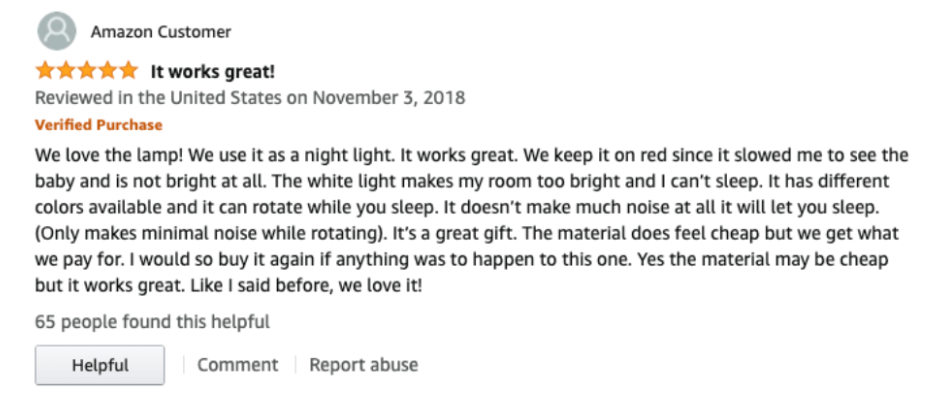
Amazon allows buyers to leave star-only ratings (1–5 stars) without writing anything, and these usually show up faster than full written reviews.
These star ratings may increase overall rating numbers, but they provide sellers with less context to understand negative feedback.
Common Reasons Why Amazon Reviews Aren’t Showing Up
Here are some common reasons you won’t be able to see reviews on your products:
1. Review Screening Process
Every review submitted to Amazon undergoes rigorous examination before being published.
During this evaluation period, Amazon examines:
- Verified purchaser status: Reviews from confirmed buyers receive priority
- Compliance with community guidelines: Reviews must meet Amazon’s standards
- Authenticity indicators: Signs that a review is genuine and not manipulated
This screening process can delay review visibility or prevent non-compliant reviews from appearing altogether.
2. Confusion Between Product Reviews And Seller Feedback
Many customers accidentally place their product comments in the wrong section, causing them to disappear from product listings.
When this happens:
- The review won’t appear on the product listing
- It will instead show up in the seller’s feedback history
- The content may be appropriate, but it is placed in the wrong location
Sellers can sometimes request the removal of product-focused content from their seller feedback, but this won’t transfer it to the product listing.
3. Community Guideline Violations
Amazon maintains strict rules about what content is acceptable in reviews, automatically filtering out problematic submissions.
Even positive reviews will be removed if they contain:
- Profanity or inappropriate language
- Racial slurs or discriminatory remarks
- Personal attacks targeting individuals or groups
- Threatening content
- Non-family-friendly images or descriptions
4. Reviews from Family and Friends
Amazon’s systems work to identify and remove reviews that come from people with connections to the seller.
Amazon’s algorithms detect these relationships through various data points, including shared IP addresses, account connections, and similar indicators, removing reviews from immediate family, close friends, and business associates.
5. Incentivized Reviews
Amazon strictly prohibits reviews given in exchange for any form of compensation or reward.
Reviews will be removed if there’s evidence they were obtained in exchange for:
- Payment (including money or gift cards)
- Refunds or reimbursements
- Free products
- Prize drawing entries
- Future purchase discounts
- Any other form of compensation
6. Suspicious Review Velocity
Sudden spikes in review frequency can trigger Amazon’s fraud detection systems, causing reviews to be held for investigation.
This commonly occurs when:
- A product receives a large discount promotion
- Multiple reviews appear simultaneously
- There’s an unusual pattern in review timing
- Many similar reviews appear in quick succession
7. Deleted User Accounts
Sometimes reviews disappear because the reviewer’s account has been removed from the platform.
Reviews often vanish when users have:
- Deleted their Amazon account
- Had their account suspended or banned for violating Amazon policies
- Been identified as participating in review manipulation on other products
8. Unverified Purchases
Reviews from customers who didn’t purchase through Amazon face higher scrutiny and lower visibility.
These unverified reviews:
- Receive lower priority in the screening process
- Are more likely to be flagged for additional review
- May never appear if they trigger other suspicion indicators
- Don’t carry the “Verified Purchase” badge that builds trust
9. Increased AI and Fraud Detection
Amazon has heavily upgraded its fraud detection with AI and machine learning.
The system flags suspicious patterns such as:
- Identical or overly promotional wording
- Sudden spikes in review volume
- Coordinated review activity
- Repeatedly similar phrasing across multiple reviews
Even genuine reviews may be delayed or removed if they look suspicious to Amazon’s algorithms.
How To Fix Amazon Review Issues
Both customers and sellers can easily fix this issue:
For Sellers
Sellers can try these tips:
1. Sell High-Quality Products
The foundation of any review strategy is offering products that genuinely satisfy customers.
High-quality products naturally generate positive feedback without requiring intervention, creating a virtuous cycle of sales and authentic reviews.
2. Provide Clear Product Information
Accurate listings set appropriate expectations and prevent disappointment that leads to negative reviews.
Include comprehensive details such as:
- Clear descriptions
- Usage instructions
- Warranty information
- Any necessary disclaimers
3. Use Data to Build Better Listings
Most review problems start with the listing. When product descriptions are vague, images are misleading, or keywords don’t match what buyers actually search for, you end up with mismatched expectations. And mismatched expectations lead to negative reviews, returns, or customers who simply don’t bother leaving a review at all.
A tool like SmartScout helps you fix this at the source:
- Brand Database and Subcategory Tool lets you compare your listing against top competitors in your subcategory. You can see what keywords they use, how they price, and what their review profiles look like.
- AI Listing Architect generates optimized titles, bullet points, and descriptions based on your product details. This helps set accurate buyer expectations from the start.
- Keyword Detective shows you shared keywords between competing ASINs, so you can make sure your listing targets the right search terms and attracts the right buyers.
- Traffic Graph maps how real shoppers navigate between products. If customers consistently leave your listing for a competitor, you can see why and adjust.
The idea is simple: when your listing is accurate, your product matches what buyers expect, and your keywords bring in the right audience, you naturally get more authentic positive reviews. And authentic reviews are the ones Amazon’s filters let through.
4. Deliver Excellent Customer Service
How you handle customer interactions can transform experiences and influence review outcomes.
Focus on:
- Responding promptly to customer inquiries
- Addressing concerns professionally
- Resolving issues quickly and thoroughly
- Following up appropriately
5. Solicit Reviews The Right Way
Amazon allows review requests, but you must follow their strict guidelines to avoid penalties.
Use approaches like:
- Amazon’s “Request a Review” button for a compliant approach
- Neutral language: “Thank you for your purchase! Your feedback is highly appreciated and helps us improve our products. Please consider leaving a review.”
Avoid:
- Specifically requesting positive reviews
- Offering incentives of any kind
- Sending multiple requests for the same purchase
6. Adapting To The “Voice of the Customer”
Amazon has largely retired the ability for sellers to directly message buyers via email to resolve negative reviews freely. Instead, sellers must rely on the Voice of the Customer dashboard in Seller Central.
- Sellers can no longer directly contact customers who leave 3-star or lower reviews.
- The Voice of the Buyer dashboard only gives analytical insights into customer satisfaction, not communication options.
- This makes it critical to focus on quality control, accurate listings, and proactive service, since once a bad review is left, it cannot be resolved by messaging the buyer.
For Customers
If you are a customer and not able to see your review, you can follow these tips:
1. Ensure You’re Posting In The Right Section
Make sure your feedback goes where it belongs so others can find it.
Verify you’re leaving product reviews on the product page rather than as seller feedback to ensure visibility on the listing.
2. Follow Community Guidelines
Understanding Amazon’s rules helps ensure your review will be published.
Keep your reviews:
- Focused on the product itself
- Free from inappropriate language
- Without personal attacks
- Without external contact information or links
3. Be Patient
The review system takes time to process submissions before they appear publicly.
Allow the standard 72-hour window for your review to appear before assuming there’s a problem with the submission.
4. Contact Customer Service
If you’ve followed all guidelines but your review still doesn’t appear, Amazon’s support team can help.
Contact Amazon customer service after several days if you believe your complaint review should have been published but remains missing.
When To Contact Amazon Support
Sometimes direct intervention is necessary when reviews disappear despite following all guidelines.
If compliant reviews suddenly disappear or never show up after the standard waiting period:
- Contact Amazon support directly
- Provide relevant order information
- Explain the situation clearly and professionally
- Avoid making demands; instead, request information about the issue
- Be patient during the resolution process
Related Reads:
Conclusion: Fix Your “Amazon Review Not Showing Up” Issue Easily
Missing Amazon reviews can be frustrating, but understanding the underlying causes helps navigate these challenges. By focusing on authentic customer experiences and following Amazon’s guidelines, both sellers and customers can maximize legitimate review visibility.
Amazon’s policies are stricter than ever — with AI-driven fraud checks, tighter rules for unverified reviews, a new star-only rating system, and the Voice of the Buyer tool replacing direct customer contact. The only long-term solution is to build trust through authentic, compliant, and high-quality practices.

I’m a professor, serial entrepreneur and e-commerce expert with a passion for creating successful online business models. After achieving huge success in the Amazon FBA business, I decided to make it my mission to help my fellow sellers do the same through enjoy-aiia.com .